How to reject spam calls with Android CallScreeningService

By Dmitry B. 7 min read
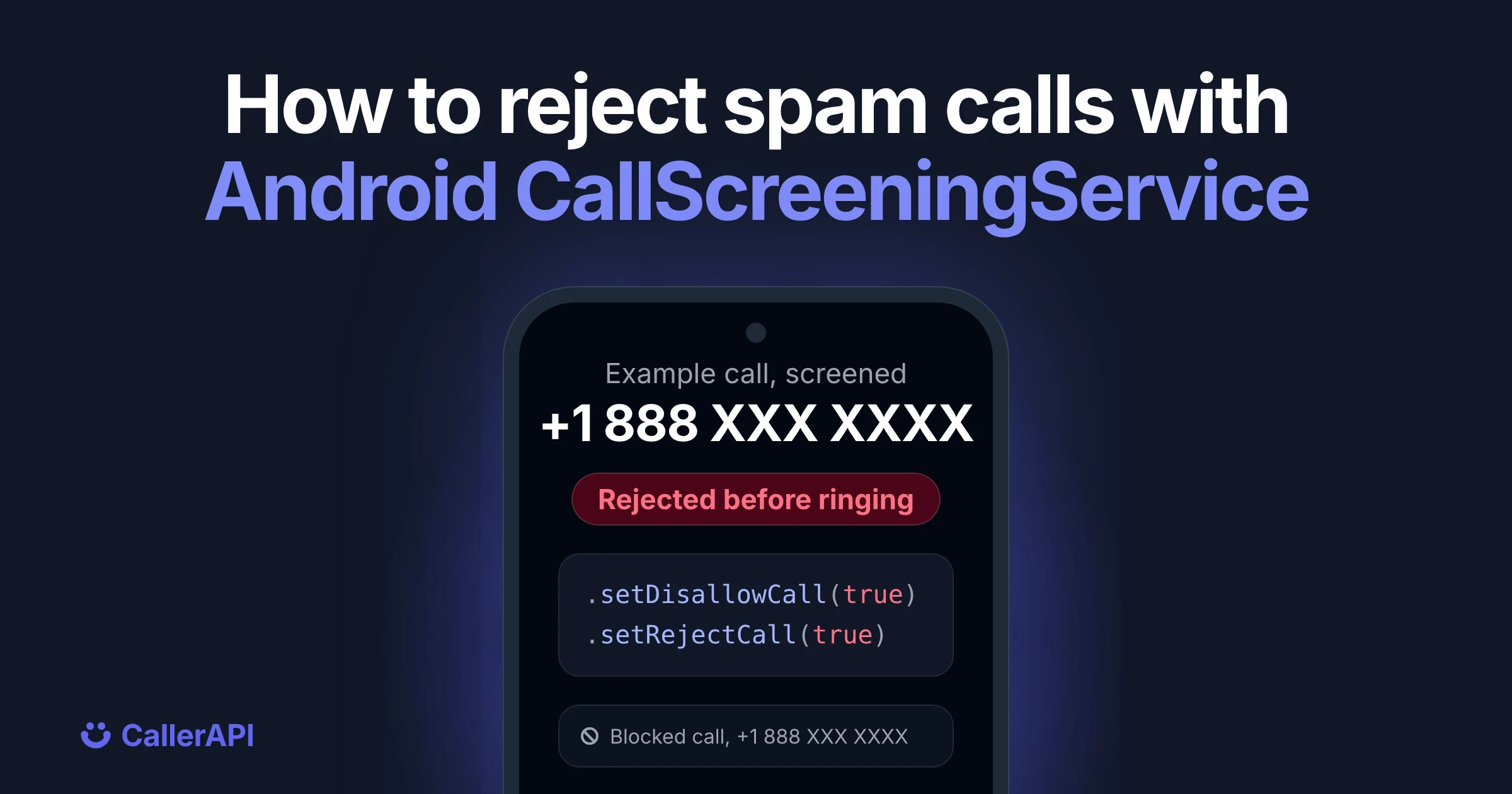
To reject spam calls on Android, build a CallScreeningService, ask the user to make your app the call screening app with RoleManager.ROLE_CALL_SCREENING, and in onScreenCall() answer each incoming call with respondToCall(). To reject one, set setDisallowCall(true) and setRejectCall(true):
class SpamScreeningService : CallScreeningService() {
    override fun onScreenCall(details: Call.Details) {
        val spam = isKnownSpam(details.handle?.schemeSpecificPart)
        val response = CallResponse.Builder()
            .setDisallowCall(spam)
            .setRejectCall(spam)
            .setSkipCallLog(false)
            .setSkipNotification(spam)
            .build()
        respondToCall(details, response)
    }
}
This works on Android 10 (API 29) and later. The hard part is isKnownSpam(): the phone doesn’t ring until you answer, and Android stops waiting after 5 seconds, so you can’t wait on a network call there. The rest of this post builds the whole thing, from the manifest to a spam check that answers in time.
How call screening works on Android
When a call comes in, Android binds to the app that holds the call screening role and calls its onScreenCall() before the phone rings. Your app looks at the number and replies with a CallResponse. Android then rings the phone, rejects the call or silences it.
Only one app can hold the role at a time, and the user grants it. Your app can’t take it on its own.
CallResponse setting |
What it does |
|---|---|
setDisallowCall(true) |
The call doesn’t ring. Required for the three below |
setRejectCall(true) |
Ends the call as if the user declined it |
setSkipCallLog(true) |
Keeps the call out of the call log. Android honors this only for carrier and system screening apps |
setSkipNotification(true) |
No missed call notification |
setSilenceCall(true) |
Rings silently instead |
Keep the call in the log, even when you reject it. If you ever block a real caller, the user can see what happened and fix it.
Step 1: declare the service in the manifest
The service must require the BIND_SCREENING_SERVICE permission, so only the system can bind to it:
<service
    android:name=".SpamScreeningService"
    android:exported="true"
    android:permission="android.permission.BIND_SCREENING_SERVICE">
    <intent-filter>
        <action android:name="android.telecom.CallScreeningService" />
    </intent-filter>
</service>
Step 2: ask the user for the call screening role
Request the role with RoleManager. Ask when the user turns on spam blocking in your app, not on the first screen they see. Users who know why you’re asking say yes far more often.
private val requestRole =
    registerForActivityResult(ActivityResultContracts.StartActivityForResult()) { result ->
        if (result.resultCode == RESULT_OK) {
            // The app now screens calls
        }
    }

fun askForScreeningRole() {
    if (Build.VERSION.SDK_INT < Build.VERSION_CODES.Q) return
    val roleManager = getSystemService(RoleManager::class.java) ?: return
    if (roleManager.isRoleAvailable(RoleManager.ROLE_CALL_SCREENING) &&
        !roleManager.isRoleHeld(RoleManager.ROLE_CALL_SCREENING)
    ) {
        requestRole.launch(
            roleManager.createRequestRoleIntent(RoleManager.ROLE_CALL_SCREENING)
        )
    }
}
If another app already holds the role, the system dialog asks the user to switch. If the device runs Android 9 or older, the role doesn’t exist, so the function returns without asking.
Step 3: answer onScreenCall fast
onScreenCall() runs on the main thread. The phone doesn’t ring until you call respondToCall(), and if you take more than 5 seconds, Android ignores your answer and the call rings as normal. Every millisecond you spend delays the ring for every caller, so a blocking HTTP request is out.
The pattern that works is a local cache:
- In
onScreenCall(), look the number up in a local cache and answer at once. - If the number isn’t in the cache, let it ring and fetch its reputation in the background.
- The next call from that number gets an answer from the cache.
The cost of this design is that the first call from an unknown number always rings. That’s the safe direction: a real caller is never held up by a slow network.
Step 4: get spam data into the cache
You can fill the cache yourself from a server that calls a spam lookup API, or use an SDK that keeps the cache for you. The CallerAPI call blocking SDK does the second. Add it from Maven Central:
// app/build.gradle.kts
dependencies {
    implementation("com.callerapi:callerapi-sdk:1.6.2")
}
It needs minSdk 24 and JDK 17. Automatic blocking needs Android 10 or later, like any call screening app.
Add your keys as meta-data inside <application>. Keep the real values in local.properties and pass them in with manifestPlaceholders, so they never land in source control:
<meta-data android:name="com.callerapi.sdk.CLIENT_KEY" android:value="${callerApiClientKey}" />
<meta-data android:name="com.callerapi.sdk.SDK_KEY" android:value="${callerApiSdkKey}" />
<meta-data android:name="com.callerapi.sdk.SDK_SECRET" android:value="${callerApiSdkSecret}" />
The Android quickstart shows the build.gradle.kts lines that read them from local.properties.
Register it once in your Application class:
class App : Application() {
    override fun onCreate() {
        super.onCreate()
        CallerAPI.register(this)
    }
}
The SDK ships its own call screening service and manifest entry, and it follows the cache pattern from step 3: cached spam is rejected, cached clean numbers ring, and an unknown number rings while the SDK fetches it. With the SDK’s service you skip step 1 and only ask for the role in step 2. The Android quickstart has the full setup.
Step 5: use your own service with the SDK’s data
If you want your own rules, such as an allow list or a silent ring for some numbers, remove the SDK’s service and declare yours from step 1. Add xmlns:tools="http://schemas.android.com/tools" to your <manifest> tag first:
<service
    android:name="com.callerapi.sdk.CallerScreeningService"
    tools:node="remove" />
Then read the verdict from the cache in onScreenCall(). These two calls don’t block, so they are safe on the call path:
@RequiresApi(Build.VERSION_CODES.Q)
class SpamScreeningService : CallScreeningService() {
    override fun onScreenCall(details: Call.Details) {
        if (details.callDirection != Call.Details.DIRECTION_INCOMING) return
        val raw = details.handle?.schemeSpecificPart
        val number = raw?.let { if (it.startsWith("+")) it else "+$it" }
        val verdict = number?.let { CallerAPI.cachedSpamVerdict(it) }
            ?: CallerAPI.SpamVerdict.UNKNOWN
        val spam = verdict == CallerAPI.SpamVerdict.SPAM

        // Answer first. Everything after this line can take its time.
        respondToCall(
            details,
            CallResponse.Builder()
                .setDisallowCall(spam)
                .setRejectCall(spam)
                .setSkipCallLog(false)
                .setSkipNotification(spam)
                .build()
        )

        if (number != null && verdict == CallerAPI.SpamVerdict.UNKNOWN) {
            CallerAPI.prewarmAsync(number) // fetch it for the next call
        }
    }
}
Don’t call the SDK’s network lookups, such as isSpam or lookupLabel, before respondToCall(). They wait on the network, and the call will ring before they return. The call screening guide and the methods reference list what each call does.
Show who is calling
Rejecting spam is half the job. For calls that do ring, the SDK can show a name card over the incoming call screen. That needs the overlay permission, which is separate from the screening role, so ask for it in the same setup flow. See what each platform can do for the details by Android version.
Troubleshooting
| What you see | Likely cause |
|---|---|
| Nothing happens on incoming calls | The app doesn’t hold the call screening role |
| Calls from saved contacts are never screened | Expected. Android passes only calls from numbers that aren’t in the user’s contacts, unless your app holds the READ_CONTACTS permission |
| No role dialog appears | Another app holds the role, or the device runs Android 9 or older |
| Spam calls still ring the first time | Expected. The first call from an unknown number rings while it’s fetched |
| No caller name appears | The overlay permission isn’t granted |
| Calls ring even when the cache says spam | respondToCall() came too late. Remove any network call from onScreenCall() |
FAQ
What is CallScreeningService in Android?
It’s the Android API that lets one app check incoming calls before they ring and decide to allow, reject or silence them. By default it sees only calls from numbers that aren’t in the user’s contacts. The app must hold the call screening role, which the user grants. Any app can use it from Android 10; before that, only the default dialer could.
Can an Android app block calls without being the default dialer?
Yes. Since Android 10, the call screening role is separate from the default dialer role. Your app can screen and reject calls while the user keeps their usual phone app.
Why does the first spam call still ring?
Because the check has to answer almost instantly, the app answers from a local cache. A number that isn’t cached yet rings while its reputation is fetched, and later calls from it are screened.
How do I test call screening?
Use a real phone, because an emulator can’t receive a real call. Hold the role on it, look up a known spam number in your app first so the verdict is cached, then call the phone from that number.
Add spam blocking to your app: see the call blocking SDK, or start with the Android quickstart.
Look up a number
Open the public record for any number. See the complaint count and the subject.
Look up a number