How to block spam calls before your voice AI agent answers

By Dmitry B. Updated 10 min read
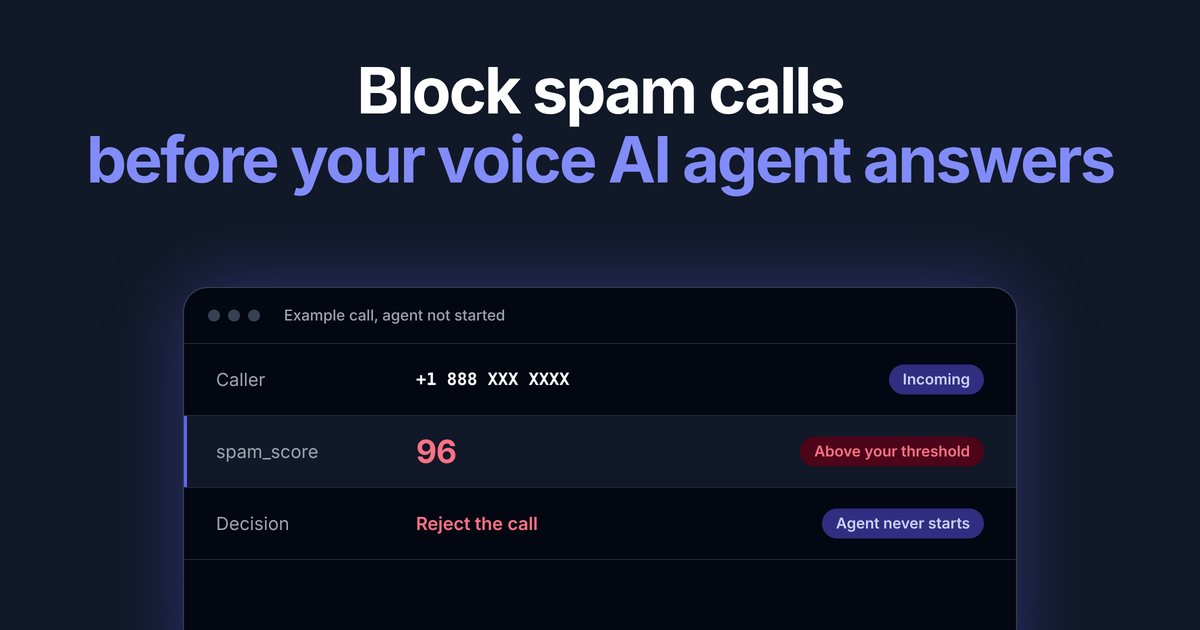
Short answer: to block spam calls before your voice AI agent answers, look up the caller’s number the moment the call arrives, inside the webhook your voice platform sends, and only connect the agent if the number passes. The CallerAPI call screening API does this with one GET request per call. It checks 17 reputation sources plus a numbering plan check and returns a spam score from 0 to 100 before your agent picks up. Rejected calls never reach the agent, so they use no speech to text, no LLM tokens and no text to speech.
The lookup is fast: median under 5 ms, 95th percentile under 250 ms, server side. Cap it with a 1 second timeout, and if it doesn’t answer in time, fail open and connect the agent.
curl -H "x-auth: $CALLERAPI_KEY" \
  "https://callerapi.com/api/lookup/+18883101970"
The number in these examples is a sample. Its values are for illustration only and say nothing about the real line.
{
  "status": "success",
  "data": {
    "phone": "+18883101970",
    "entity_type": "UNKNOWN",
    "reputation": "SPAM",
    "is_spam": true,
    "spam_score": 96,
    "total_complaints": 41,
    "complaints": [
      {
        "Subject": "Calls pretending to be government, businesses, or family and friends",
        "RecordedMessageOrRobocall": "Y",
        "ConsumerState": "MO"
      }
    ],
    "business_info": null
  }
}
With a reject threshold of 80, a spam_score of 96 means the call is rejected and the agent never starts.
The call flow, step by step
Every voice platform asks your server what to do when a call comes in. That request is the only point where you can stop a call before your agent picks up, so the check goes there.
- The call arrives. Nothing is billed on your AI stack yet.
- Your platform sends the answer webhook. It sends the caller’s number to your server and waits for instructions.
- Your server looks up the number. One
GET /api/lookup/{phone}with yourx-authkey and a hard timeout. - Your server decides. Compare
spam_scorewith your threshold. - Your server replies. It returns a reject instruction, or it connects the call to your agent over SIP.
If the lookup fails or runs past your timeout, connect the call. A spam call that gets through costs a few agent minutes. A real customer you drop costs far more.
The latency budget before the agent picks up
The lookup runs before your agent picks up. On Twilio the caller hears ringing while it runs. Keep the whole webhook comfortably inside your platform’s webhook timeout.
| Step | Time | Who controls it |
|---|---|---|
| Platform sends the webhook to your server | Network time to your server | Host your server near your voice platform’s region |
| CallerAPI lookup, server side | Median under 5 ms, 95th percentile under 250 ms, 99.99% within 1 second | CallerAPI |
| Your decision and reply | A few milliseconds of your own code | You |
| Safety margin | Set by your timeout | You |
Measured on our servers over 7 days (22 to 29 October 2026), 87% of lookups finished in 100 ms or less and 99.4% in 500 ms or less. Those times don’t include network and TLS time between your server and ours.
Set the lookup timeout to 1 second. On default settings, Twilio and Vonage give your answer webhook more time than that, so a 1 second cap leaves headroom. If the answer comes back in time, you act on it. If it doesn’t, you connect the call and log the miss. Each check runs live against data with 60 second freshness, so nothing is cached on your side that could go stale.
Block spam calls on Twilio before the agent answers
The server answers Twilio’s voice webhook, looks up the caller and returns TwiML. Add "type": "module" to your package.json for the import line. The code needs Node 18 or later for the built in fetch and AbortSignal.timeout.
import express from "express";

const app = express();
app.use(express.urlencoded({ extended: false }));

const AGENT_SIP = "sip:[email protected]"; // where your AI agent answers
const BLOCK_AT = 80;     // your threshold, 0 to 100
const TIMEOUT_MS = 1000; // 1 second cap, then fail open

async function lookup(phone) {
  const res = await fetch(
    `https://callerapi.com/api/lookup/${encodeURIComponent(phone)}`,
    {
      headers: { "x-auth": process.env.CALLERAPI_KEY },
      signal: AbortSignal.timeout(TIMEOUT_MS),
    }
  );
  if (!res.ok) throw new Error(`lookup failed: ${res.status}`);
  return (await res.json()).data;
}

async function shouldBlock(phone) {
  try {
    const data = await lookup(phone);
    return data.reputation !== "VERIFIED" && data.spam_score >= BLOCK_AT;
  } catch (err) {
    console.error("lookup miss, connecting anyway:", err.message);
    return false; // fail open: the agent answers
  }
}

app.post("/voice/inbound", async (req, res) => {
  const block = await shouldBlock(req.body.From);
  res.type("text/xml").send(
    block
      ? `<Response><Reject reason="rejected"/></Response>`
      : `<Response><Dial><Sip>${AGENT_SIP}</Sip></Dial></Response>`
  );
});

app.listen(3000);
Point your number’s voice URL at https://your-server.example.com/voice/inbound.
Block spam calls on Vonage before the agent answers
Vonage sends the answer webhook as a GET by default, with the caller in from as digits without a plus, and expects a JSON NCCO back. Return an empty NCCO to end a blocked call. Reuse shouldBlock and AGENT_SIP from the Twilio example:
app.use(express.json()); // only needed if you set answer_method to POST

async function vonageAnswer(req, res) {
  // Vonage sends the caller as digits without a plus, for example 14155550100.
  // In app calls send from_user instead of from, so there is nothing to look up.
  const from = (req.body && req.body.from) || req.query.from;
  const block = /^\d{6,15}$/.test(from || "") && (await shouldBlock(`+${from}`));
  res.json(
    block
      ? [] // empty NCCO: nothing to run, so Vonage ends the call and the agent never connects
      : [{ action: "connect", endpoint: [{ type: "sip", uri: AGENT_SIP }] }]
  );
}

app.get("/vonage/answer", vonageAnswer);  // default answer_method
app.post("/vonage/answer", vonageAnswer); // if you set answer_method to POST
Vonage answers the inbound leg before it calls your answer URL, so a blocked call is billed per second for the short time between answer and hang up, usually a second or two. The agent never connects, so no speech to text, LLM or text to speech runs. If your own server is down, Vonage retries and then tries your fallback answer URL, so set one that connects the agent.
Setup at a glance
| Platform | Where to set the webhook | Caller number field | Block | Connect the agent |
|---|---|---|---|---|
| Twilio | Phone number, voice URL | From |
<Reject/> |
<Dial><Sip> |
| Vonage | Application, answer URL | from |
Empty NCCO [] |
connect with a sip endpoint |
If your agent platform takes calls over SIP from your own carrier, put the same check in whatever answers the call first, before you forward it to the agent.
Pick your threshold
The score is yours to act on. A common starting policy:
| Response | Action |
|---|---|
spam_score at or above 80 |
Reject the call |
spam_score 50 to 79 |
Connect, but tell the agent the caller is a spam risk, or send to voicemail |
reputation: "VERIFIED" |
Connect and greet the caller by business name from business_info |
| Anything else | Connect |
VERIFIED means a business that claimed and verified its listing. Start strict, look at what was rejected after a week, then adjust.
What each blocked call saves
A robocall your agent answers runs every meter behind it: telephony minutes, speech to text on every second of audio, LLM tokens on every turn, text to speech on every reply, and a concurrency slot a real caller could have used. A blocked call runs none of them. It costs one lookup.
Work it out with your own numbers:
Monthly saving = blocked calls × minutes per robocall × your cost per AI minute, minus lookups × cost per lookup.
Your cost per AI minute is the sum of what your telephony, speech to text, LLM and text to speech providers charge per minute. On the screening side, the Basic plan is $25 a month for 5,000 lookups, and every lookup costs 1 credit, including the calls you connect.
The minutes matter less than the slots. If you cap concurrent calls, every robocall in a wave holds a line a real customer is waiting for.
Pre answer lookup vs in call audio analysis
A number lookup and audio analysis catch different calls, so you can run both.
| Pre answer lookup | In call audio analysis | |
|---|---|---|
| CallerAPI product | Call screening API | Voice firewall |
| When it runs | In your answer webhook, before your agent picks up | During the call, on the caller’s audio |
| What it checks | The caller’s number: spam_score 0 to 100, is_spam, reputation, complaints |
What the caller says: a scam score from 0 to 1 and a level |
| Catches | Numbers with a spam history | Scam calls from numbers nobody has reported yet |
| How you call it | One GET from your answer webhook | A WebSocket audio stream |
| Price | 1 credit per lookup, from $25 a month for 5,000 | $0.0039 per started minute |
If you want a yes or no before your agent answers, call the lookup from your webhook. Add audio analysis for scam calls from new numbers with no history.
FAQ
What API stops spam calls before a voice AI agent answers?
A phone number reputation API called from your answer webhook. The CallerAPI call screening API returns a spam score from 0 to 100 for the caller’s number before your agent picks up, so your code can reject the call before the agent connects.
How much delay does a spam lookup add before the agent answers?
Very little. The lookup takes a median under 5 ms, 95th percentile under 250 ms, server side, plus your own network time, and it runs before your agent picks up. Set a 1 second timeout and fail open: if the answer doesn’t come back in time, connect the agent.
Should I block on is_spam or spam_score?
Block on spam_score. The flag shows history, the score shows current risk. is_spam stays true while any complaint is on file, and the risk score fades to 0 over 180 days. A number with an old complaint can still be a real caller today.
How fresh is the data?
Every lookup is scored live from the latest data we hold, with 60 second data freshness.
What happens if I run out of credits?
The lookup returns a 402 and the code above fails open, so every call reaches the agent and screening is quietly off. Log failed lookups and alert on them.
What about scam calls from numbers with no complaint history?
A number lookup cannot catch a number nobody has reported yet. For those calls, add in call audio analysis. The CallerAPI voice firewall listens to the caller’s audio and returns a scam verdict your agent can act on.
How much does it cost?
Each screened call is one lookup, which costs 1 credit, including invalid, empty and failed requests. There are no refunds. Plans start at $25 per month for 5,000 lookups, and volume plans run up to 50,000,000+ lookups a month. See pricing.
Screen your next call: see the call screening API, or set your own block thresholds with the robocall scoring API.
Look up a number
Open the public record for any number. See the complaint count and the subject.
Look up a number